Native macOS · Open source · v0.5.0

A native macOS GUI for Apple's container

Built with SwiftUI. No Electron, no daemon of its own — it just drives the container you already have. Smart container creation, one-click Compose, and a built-in MCP server.

Requires macOS 26 and Apple's container ≥ 1.0.0 · Apache-2.0

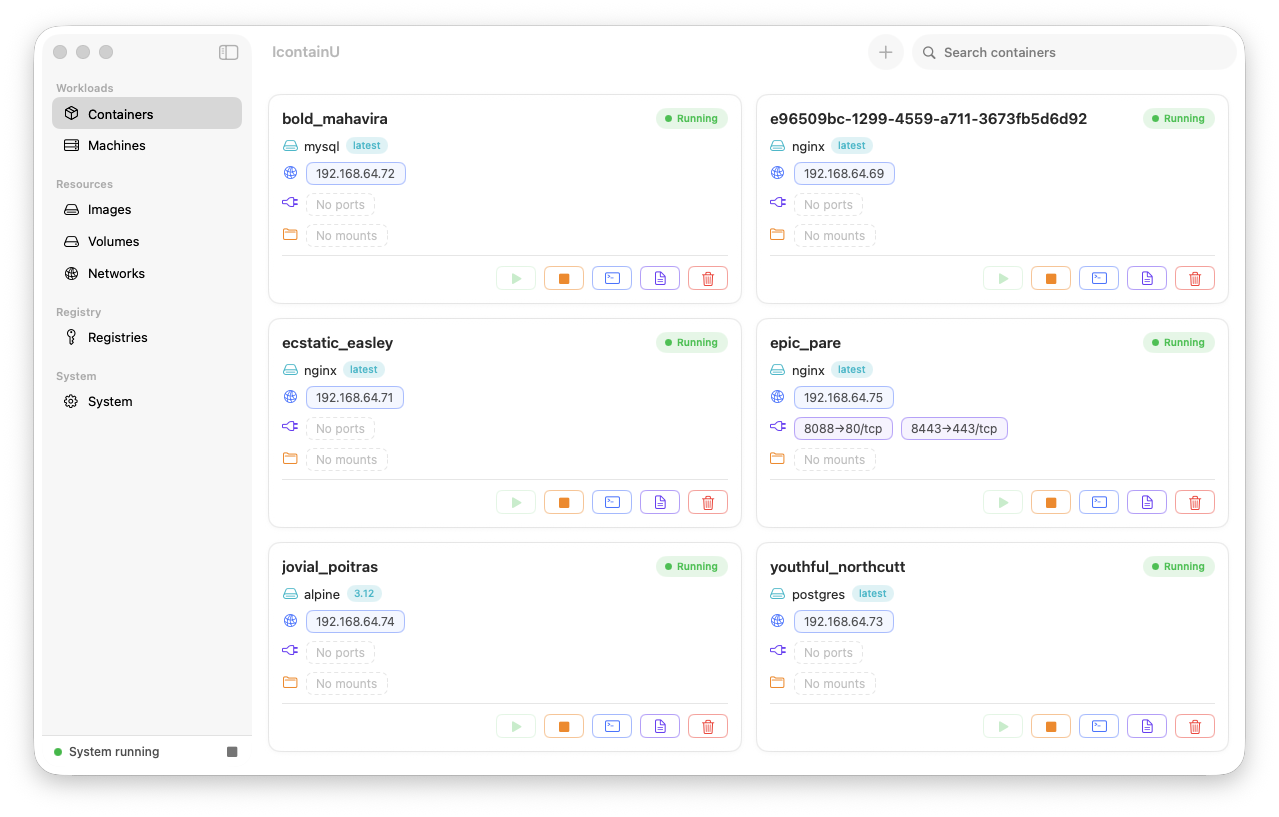
IcontainU managing a list of containers

Two things worth your dock

The features that earn IcontainU a permanent spot.

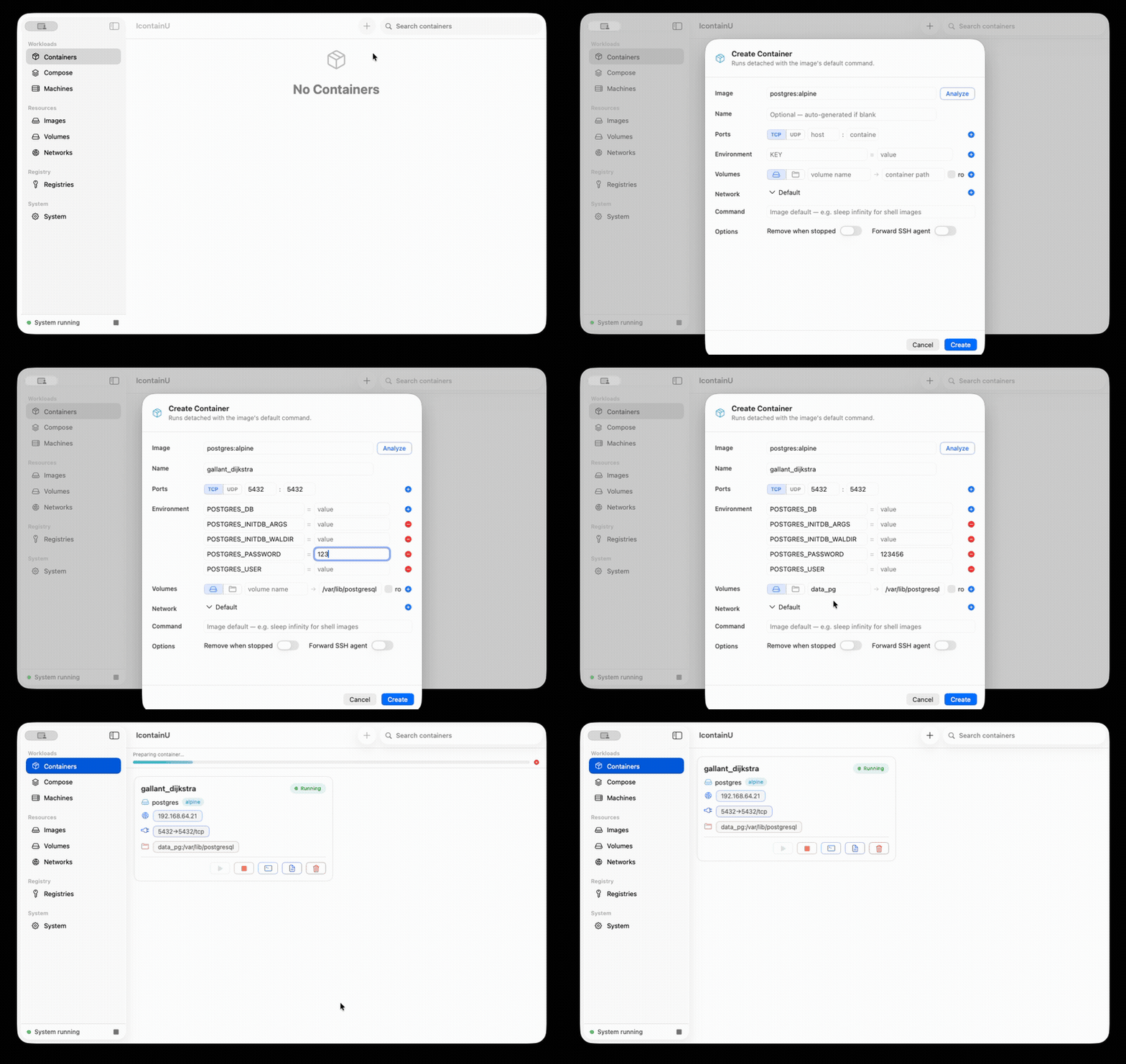
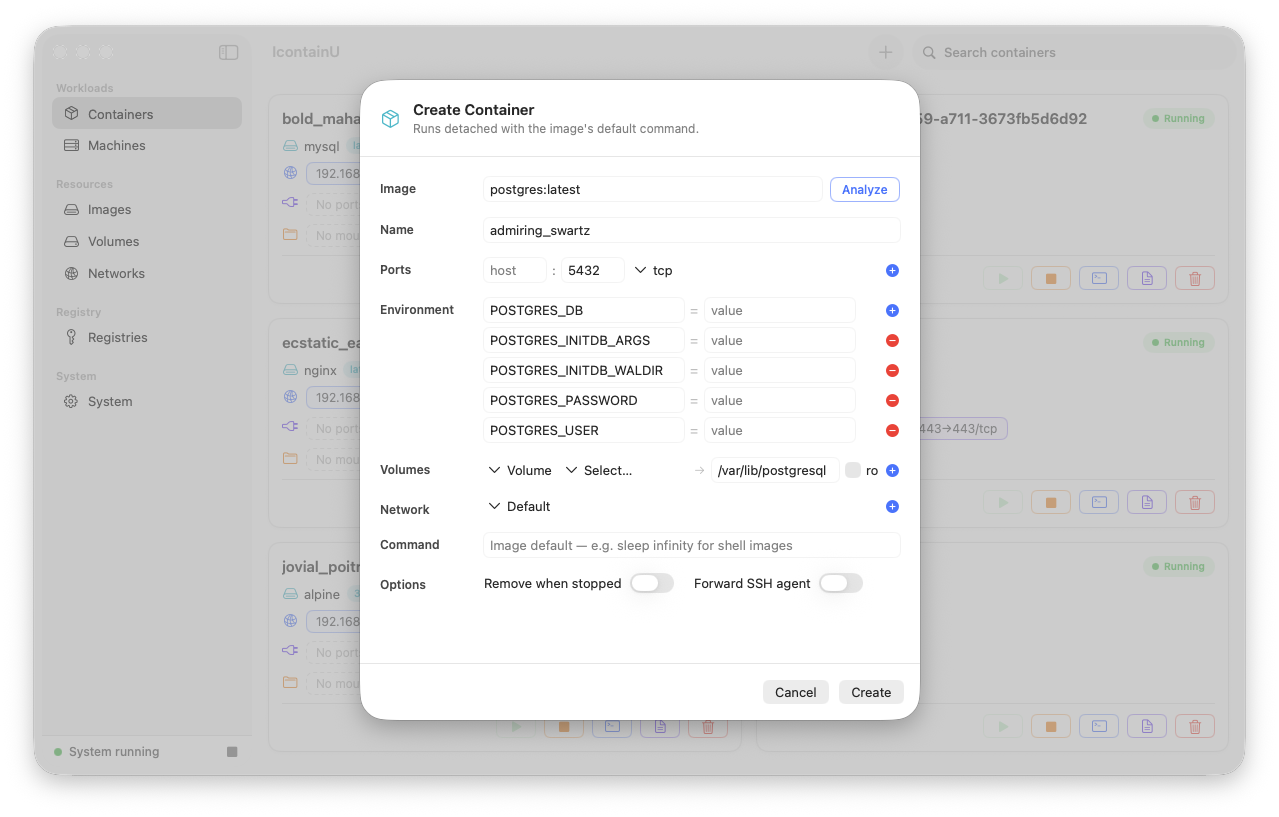
Smart create auto-filling a container form from an image
Smart Create

Drop in an image, the form fills itself

Ports, mounts, and the env vars the entrypoint actually needs (like MYSQL_ROOT_PASSWORD) are read from the image and pre-filled. No more copying docker run snippets.
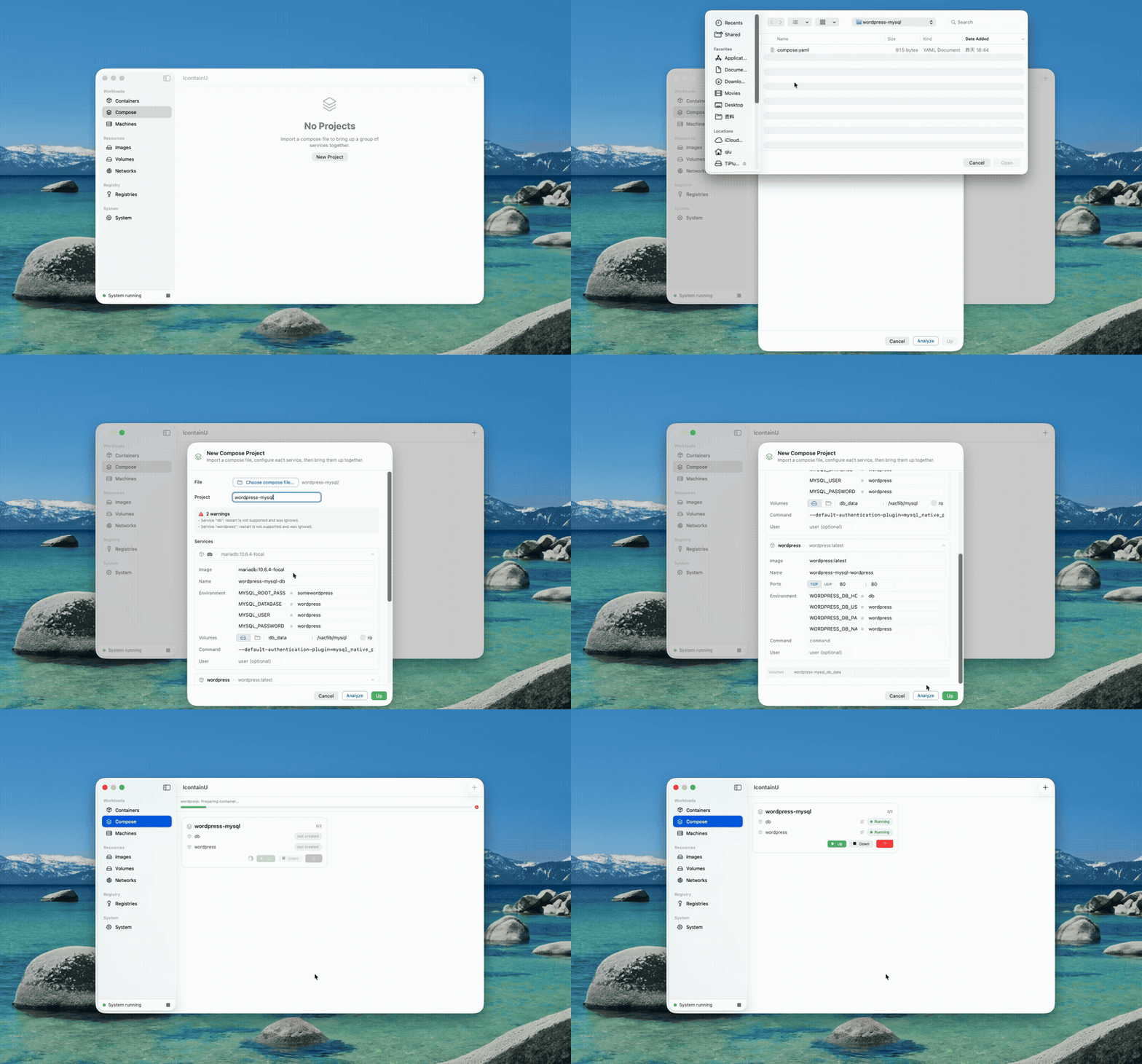
Importing a compose.yaml and bringing the stack up
🧩 One-click Compose

Bring a whole stack up in one click

Import a compose.yaml and Up the project in dependency order, with healthcheck gating. Projects persist across restarts — and it works around Apple container's broken container-to-container DNS so service names just resolve.

And a lot more under the hood

Everything you'd expect from a container GUI, without the bloat.

🐧

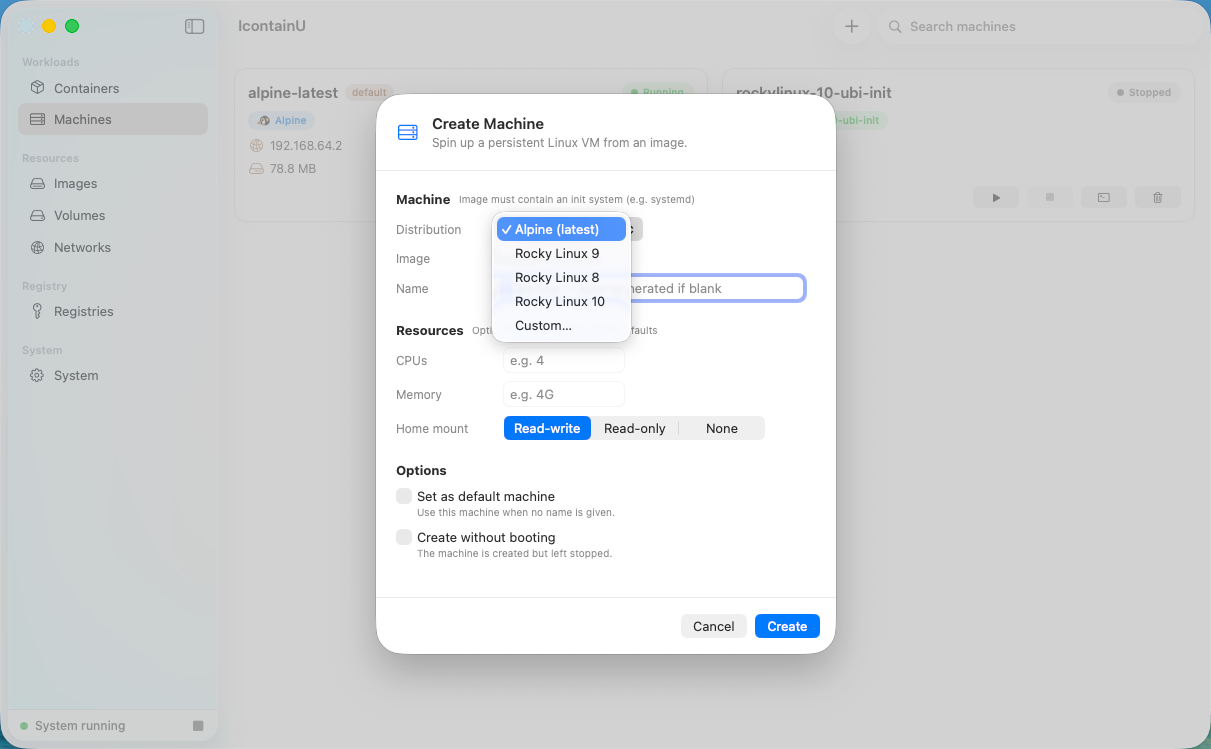
Machines that just work

Presets pointing at official init-ready images (Alpine, Rocky UBI-init), so machines actually boot. CPU, memory, and home-mount are all settable.

📦

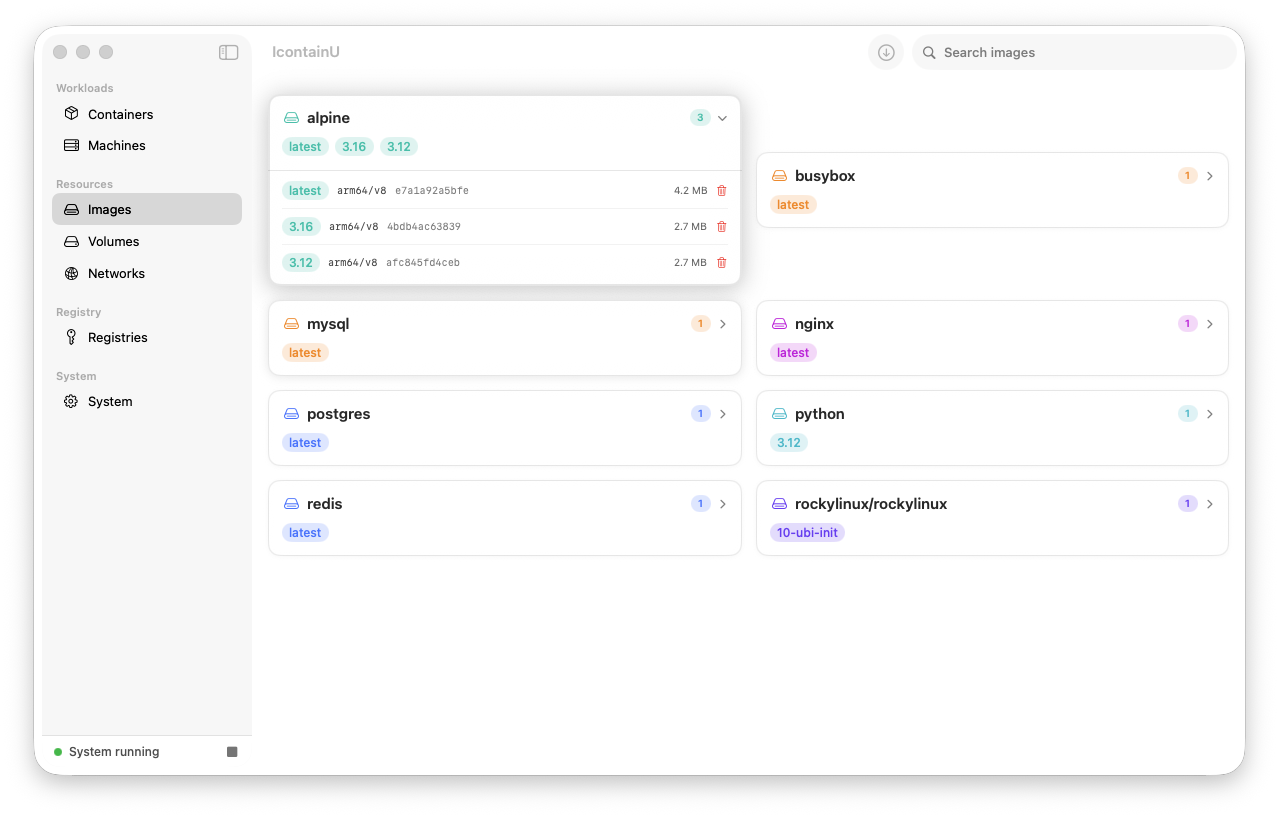
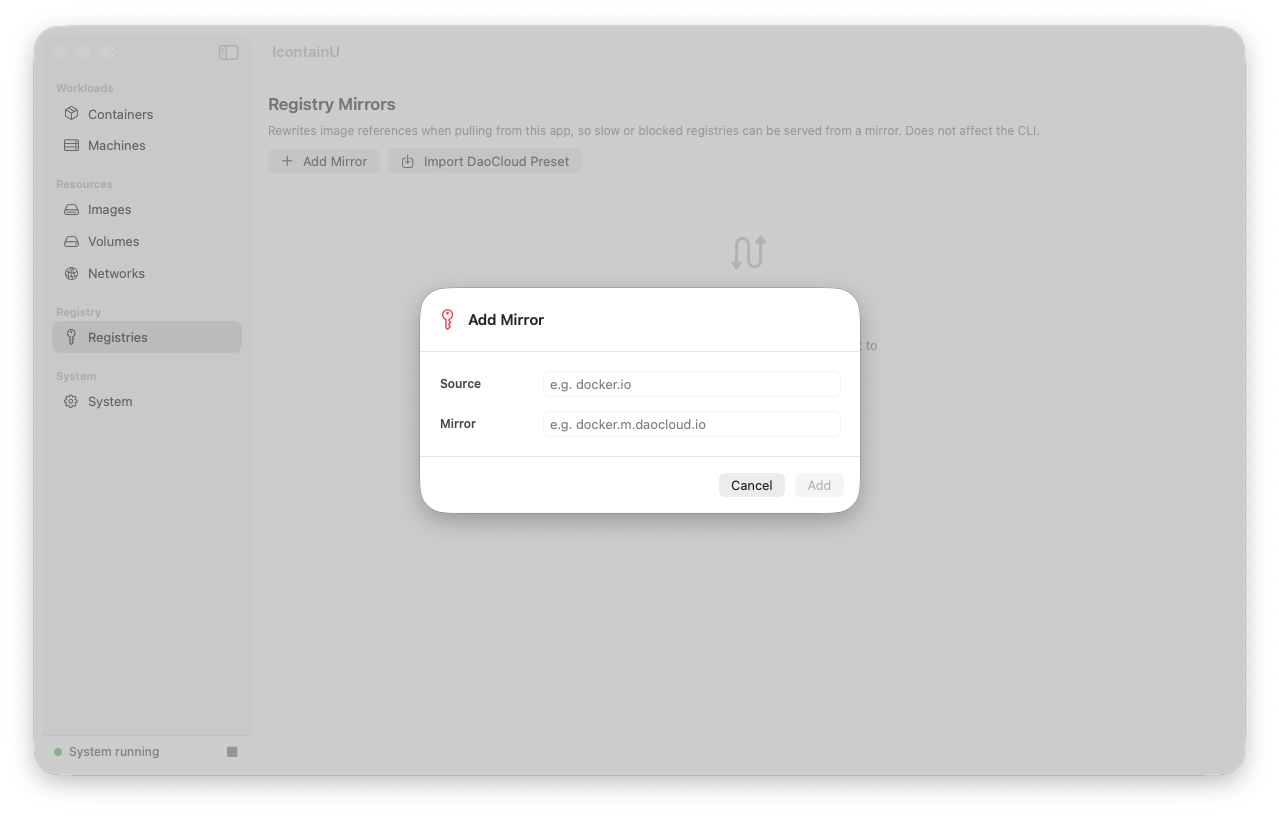
Smart image pull

Pulls only your host architecture, with a one-click DaoCloud mirror preset (9 registries, individually toggleable) that leaves no trace on local images.

🔨

Image building

Build images from a Dockerfile via the shared BuildKit builder, with no-cache toggle, live build log, and per-config build history.

🃏

Everything on a card

Start / Stop / Shell / Logs / Delete per container, plus a live stats tab and streaming logs.

Friction removers

Tap to copy an IP or ip:port, tap a mount to open it in Finder, local-image autocomplete, and Docker-style auto-naming.

🚀

Frictionless setup

First launch auto-installs the kernel and monitors container health for you.

Compose

A practical subset — never silently dropped

IcontainU supports the parts of the Compose spec you actually use: image, command, ports, environment, volumes, networks, depends_on with service_healthy, and healthcheck. Plus ${VAR} / .env interpolation.

  • Every project is namespaced — two projects can each run a db side by side.
  • Multi-network is fully supported; peers resolve on the network they actually share.
  • service_healthy is honored via exec probes during Up — no silent degradation.

Ships with ready-to-run sample stacks: ELK, Prometheus + Grafana, Gitea, Nextcloud, WordPress, Kafka cluster, Redis cluster with Envoy, and more.

Browse samples
Create a container form
🤖
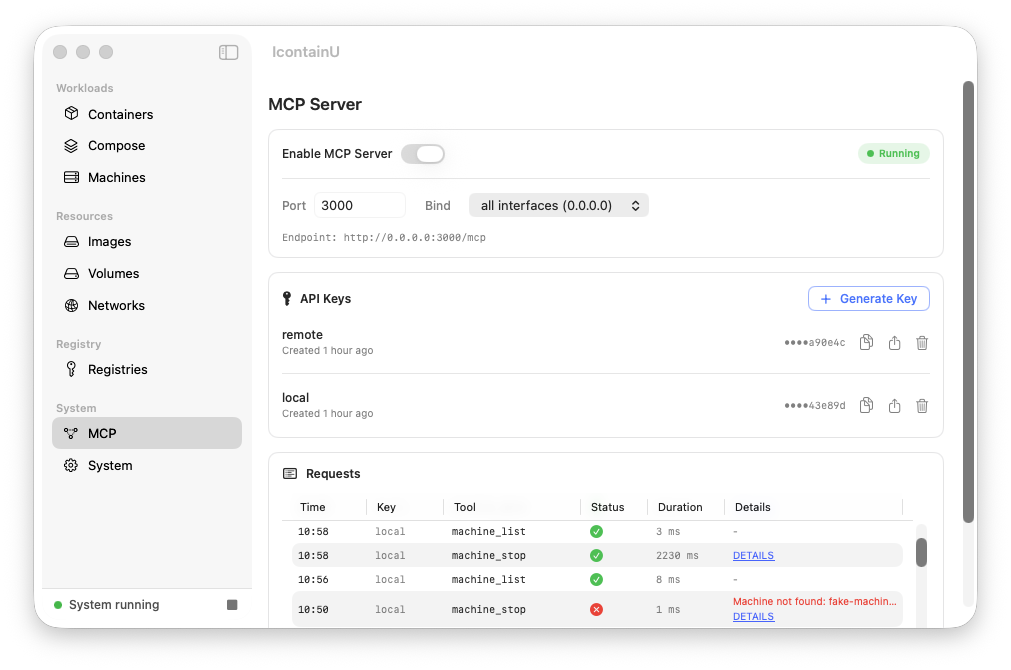
Built-in MCP server

Let your AI client run the containers

25 tools expose every container, image, machine, volume, network, and Compose operation to any MCP client — Claude Code, OpenCode, or anything MCP-compatible — over HTTP with a Bearer API key. "Bring this stack up and verify it's healthy" becomes a single prompt.

Containerlist · create · start · stop · delete · exec · logs · inspect
Imagelist · pull · delete
Machinelist · boot · stop · delete
Volumelist · create · delete
Networklist · create · delete
Composelist · up · down · status

Why another container app?

Because the Mac already has a first-class container runtime now — it just didn't have a native face.

Native, not Electron

Built in SwiftUI and ships as a real Mac app. No bundled browser, no separate UI runtime hogging memory.

Drives Apple's container — not a fork

It runs the official Apple container you already have. No extra VM, no lock-in to a third-party runtime — your containers stay where Apple puts them.

Open source, free for everyone

Apache-2.0, including commercial use. No subscription tiers, no license audit.

Screenshots

The whole app, in one scroll.

Containers list
Containers
Create a container
Create a container
Create a machine
Create a machine
Images
Images
Registry mirrors
Registry mirrors
MCP server
MCP server

Get it running in a minute

Apple silicon Mac, macOS 26+, and Apple's container ≥ 1.0.0.

  1. 1

    Install Apple's container

    If you haven't already, install Apple's container and start the system once so it installs its kernels.

    container system start
    container system status   # → running
  2. 2

    Download IcontainU

    Grab the latest IcontainU-v0.5.0.zip from GitHub Releases, unzip, and drag IcontainU.app to Applications.

    Go to Releases
  3. 3

    Bypass Gatekeeper (not notarized)

    First launch: right-click → Open. Or clear the quarantine attribute once:

    xattr -d com.apple.quarantine /Applications/IcontainU.app